
How to Run Docker Containers on a VPS Without Root (Rootless Docker Guide)
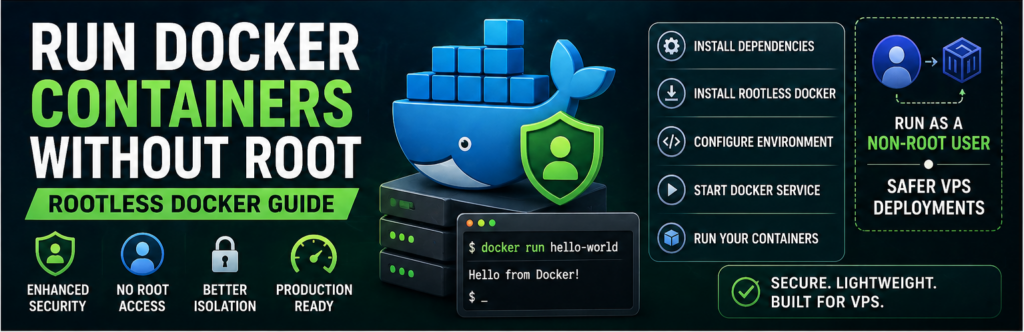
Running containers as root is convenient — but it’s also risky.
If your container is compromised, attackers may gain root access to your entire server.
That’s why rootless Docker is becoming essential.
In this guide, you’ll learn how to run Docker containers on a VPS without root access, improving security without sacrificing functionality.
What is Rootless Docker?
Rootless Docker allows you to run Docker as a non-root user.
👉 No root privileges required
👉 Improved security
Why Use Rootless Docker?
1. Security
Limits damage if compromised.
2. Isolation
Containers run under user permissions.
3. Compliance
Better for production environments.
Requirements
- Linux VPS (Ubuntu recommended)
- Non-root user
- Kernel support
Step 1: Install Dependencies
sudo apt update
sudo apt install uidmap dbus-user-session -y
Step 2: Install Docker Rootless
curl -fsSL https://get.docker.com/rootless | sh
Step 3: Set Environment Variables
export PATH=$HOME/bin:$PATH
export DOCKER_HOST=unix:///run/user/1000/docker.sock
Step 4: Start Rootless Docker
systemctl --user start docker
Step 5: Test Docker
docker run hello-world
Step 6: Enable Auto Start
systemctl --user enable docker
Limitations of Rootless Docker
- Limited networking features
- No privileged containers
- Slight performance overhead
Security Benefits
- No root access
- Reduced attack surface
- Safer multi-user systems
Best Practices
- Use rootless for all apps
- Avoid privileged mode
- Monitor logs
Common Issues
Permission Errors
Fix user namespaces.
Port Binding Issues
Use higher ports (>1024).
Real-World Insight
Most VPS compromises happen because:
👉 services run as root
FAQs
Is rootless Docker production-ready?
Yes, for most workloads.
Does it affect performance?
Minimal impact.
Final Thoughts
Running Docker without root is one of the simplest ways to improve your VPS security. It’s easy to set up and highly recommended for modern deployments.