
How to Set Up ArgoCD on a VPS and Deploy Your First App
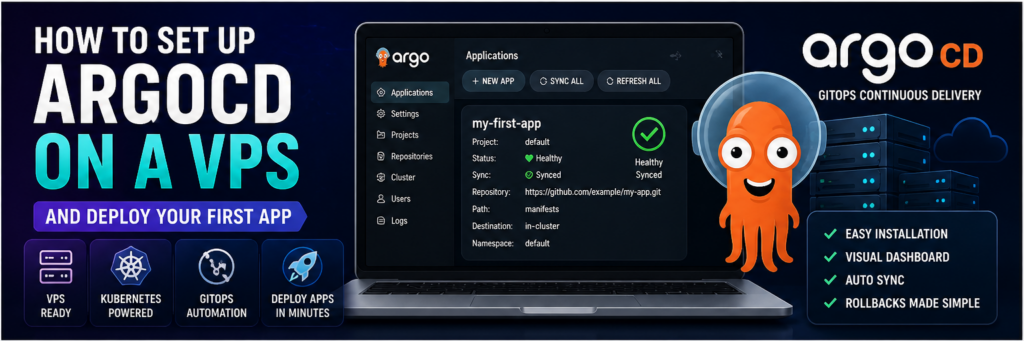
Now that you understand GitOps, it’s time to actually implement it.
One of the best tools for GitOps is:
👉 Argo CD
ArgoCD helps you:
- Deploy apps automatically
- Sync Git with Kubernetes
- Manage infrastructure visually
In this guide, you’ll install ArgoCD on a VPS and deploy your first app.
Prerequisites
- VPS (Ubuntu recommended)
- Kubernetes cluster (k3s or minikube)
- kubectl installed
Step 1: Install Kubernetes (k3s)
curl -sfL https://get.k3s.io | sh -
Check:
kubectl get nodes
Step 2: Install ArgoCD
kubectl create namespace argocd
kubectl apply -n argocd -f https://raw.githubusercontent.com/argoproj/argo-cd/stable/manifests/install.yaml
Step 3: Access ArgoCD UI
Port forward:
kubectl port-forward svc/argocd-server -n argocd 8080:443
Open:
https://localhost:8080
Step 4: Get Admin Password
kubectl get secret argocd-initial-admin-secret -n argocd -o jsonpath="{.data.password}" | base64 -d
Step 5: Login to Dashboard
- Username: admin
- Password: (from above)
Step 6: Create First Application
Click “New App”:
- Repo URL
- Path
- Cluster
Step 7: Deploy App
Click Sync.
👉 App gets deployed automatically.
Step 8: Enable Auto Sync
- Keeps app updated
Step 9: Connect Git Repo
Use GitHub repo for deployment.
Step 10: Monitor Deployment
Dashboard shows:
- Status
- Health
- Logs
Advanced Features
Rollbacks
Revert to previous version.
Multi-Cluster
Manage multiple environments.
Best Practices
- Use private repos
- Secure access
- Use RBAC
Common Mistakes
- Wrong repo path
- Missing permissions
- Not enabling auto-sync
Real-World Insight
Teams using ArgoCD deploy faster with fewer errors.
FAQs
Is ArgoCD free?
Yes.
Can I use without Kubernetes?
No.
Final Thoughts
ArgoCD makes GitOps practical. Once set up, deployments become automated, reliable, and easy to manage.