
GitHub Actions vs GitLab CI vs Jenkins in 2026 — Honest Comparison for Small Teams
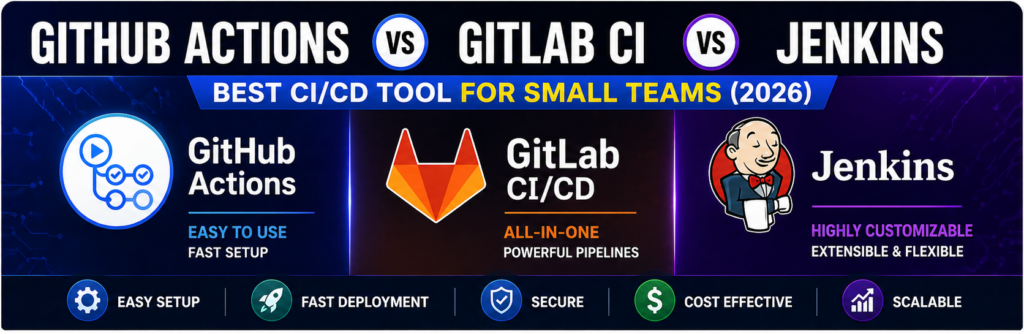
Choosing the right CI/CD tool can make or break your development workflow—especially if you're a small team with limited time and resources.
There are dozens of CI/CD tools available today, but three dominate the conversation:
- GitHub Actions
- GitLab CI/CD
- Jenkins
Each tool has its strengths, weaknesses, and ideal use cases. But which one is right for you in 2026?
This guide gives you a no-BS, practical comparison focused specifically on small teams and VPS/cloud-based workflows.
What is CI/CD?
CI/CD stands for:
- Continuous Integration
- Continuous Deployment
It automates:
- Code building
- Testing
- Deployment
Why This Comparison Matters
Small teams care about:
- Ease of setup
- Cost
- Maintenance effort
- Speed of deployment
Overview of the Three Tools
GitHub Actions
- Built into GitHub
- Easy to start
- YAML-based workflows
GitLab CI/CD
- Integrated into GitLab
- Strong pipeline features
- Built-in DevOps lifecycle
Jenkins
- Self-hosted
- Highly customizable
- Plugin-based system
Ease of Setup
GitHub Actions
- No installation needed
- Works instantly with repo
👉 Best for beginners
GitLab CI/CD
- Easy if using GitLab
- Slightly more complex than GitHub
Jenkins
- Requires installation
- Needs server setup
👉 Not beginner-friendly
User Interface & Experience
- GitHub Actions → clean UI
- GitLab → powerful but complex
- Jenkins → outdated UI
Pipeline Configuration
All use YAML or scripts:
Example (GitHub Actions):
name: CI

on: [push]

jobs:
  build:
    runs-on: ubuntu-latest
    steps:
      - uses: actions/checkout@v3
Performance
- GitHub Actions → fast
- GitLab → fast with runners
- Jenkins → depends on server
Cost Comparison
GitHub Actions
- Free tier available
- Paid minutes
GitLab CI/CD
- Free tier
- Paid plans
Jenkins
- Free (open-source)
- Server cost required
Maintenance Effort
| Tool | Maintenance |
|---|---|
| GitHub Actions | Minimal |
| GitLab CI | Low |
| Jenkins | High |
Security
- GitHub Actions → strong
- GitLab → strong
- Jenkins → depends on setup
Scalability
- GitHub Actions → scalable
- GitLab → enterprise-ready
- Jenkins → highly scalable but complex
Best Use Cases
GitHub Actions
- Small teams
- Startups
- GitHub users
GitLab CI/CD
- All-in-one DevOps
- Medium teams
Jenkins
- Custom pipelines
- Enterprise setups
Pros and Cons
GitHub Actions
Pros:
- Easy
- Integrated
Cons:
- Limited customization
GitLab CI
Pros:
- Powerful pipelines
Cons:
- Learning curve
Jenkins
Pros:
- Fully customizable
Cons:
- Hard to manage
Real-World Recommendation
👉 For small teams in 2026:
- Start with GitHub Actions
- Move to GitLab if needed
- Use Jenkins only if required
Common Mistakes
- Overengineering pipelines
- Choosing complex tools early
- Ignoring maintenance
FAQs
Which is easiest?
GitHub Actions.
Which is most powerful?
Jenkins.
Final Thoughts
There’s no perfect tool—but for most small teams, GitHub Actions offers the best balance of simplicity and power.