
DevSecOps Pipeline Tutorial — Integrate Security in CI/CD from Day 1
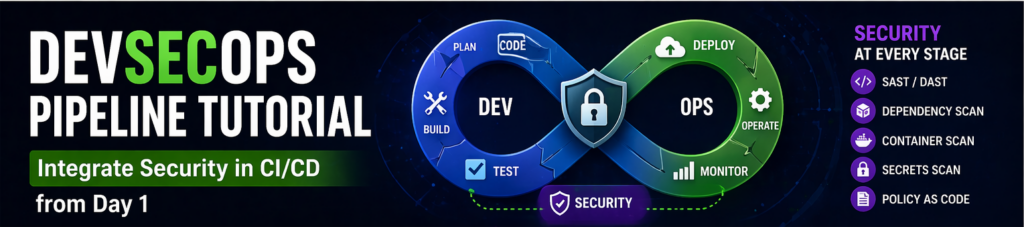
Traditional DevOps pipelines focus on speed — faster builds, faster deployments, faster releases. But speed without security is risky.
This is where DevSecOps comes in.
DevSecOps integrates security into every stage of the CI/CD pipeline, ensuring vulnerabilities are detected early instead of after deployment.
In this guide, you’ll learn how to build a DevSecOps pipeline from scratch and integrate security from day one.
What is DevSecOps?
DevSecOps stands for:
👉 Development + Security + Operations
It ensures security is:
- Automated
- Continuous
- Integrated
Why DevSecOps Matters
Without DevSecOps:
- Vulnerabilities go unnoticed
- Fixing issues becomes expensive
- Security becomes reactive
With DevSecOps:
- Issues are caught early
- Costs are reduced
- Security is proactive
DevSecOps Pipeline Overview
A typical pipeline includes:
- Code commit
- Build
- Test
- Security scan
- Deploy
Stage 1: Code Commit
Developers push code to Git repository.
Best practices:
- Code reviews
- Secure coding guidelines
Stage 2: Build
Use CI tools to build applications.
Common tools:
- Jenkins
- GitHub Actions
Stage 3: Static Code Analysis (SAST)
Scan code for vulnerabilities.
Examples:
- Hardcoded secrets
- Insecure functions
Stage 4: Dependency Scanning
Check third-party libraries for vulnerabilities.
Stage 5: Dynamic Testing (DAST)
Test running application for vulnerabilities.
Stage 6: Container Security
Scan Docker images for vulnerabilities.
Stage 7: Deployment
Deploy only if all checks pass.
Tools for DevSecOps
- Jenkins
- GitHub Actions
- SonarQube
- OWASP ZAP
Example Pipeline (GitHub Actions)
name: DevSecOps Pipeline

on: [push]

jobs:
  security:
    runs-on: ubuntu-latest

    steps:
      - uses: actions/checkout@v3

      - name: Run SAST
        run: echo "Run SAST Tool"

      - name: Run Dependency Scan
        run: echo "Scan dependencies"

      - name: Run DAST
        run: echo "Run dynamic tests"
Best Practices
- Shift security left
- Automate everything
- Monitor continuously
Common Mistakes
- Adding security too late
- Ignoring scan results
- Not updating tools
Real-World Insight
Most breaches happen due to:
👉 known vulnerabilities not fixed
Final Thoughts
DevSecOps is not optional anymore. Integrating security from day one ensures safer, faster, and more reliable deployments.