
How to Rotate SSH Keys Automatically on Linux Servers
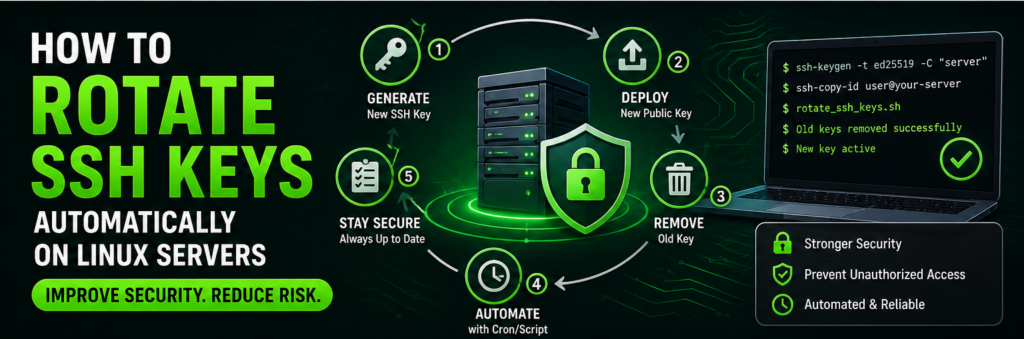
SSH keys are the backbone of secure server access.
But here’s the problem:
👉 Most people never rotate them.
If a key is leaked or compromised, attackers can access your server without a password.
That’s why SSH key rotation is critical.
In this guide, you’ll learn how to automate SSH key rotation on Linux servers to improve security.
What is SSH Key Rotation?
It means:
- Generating new keys
- Replacing old keys
- Removing expired keys
Why Rotate SSH Keys?
1. Prevent Unauthorized Access
Old keys may be compromised.
2. Improve Security
Regular updates reduce risk.
3. Compliance
Required in many environments.
Prerequisites
- Linux server
- SSH access
- Basic scripting knowledge
Step 1: Generate New SSH Key
ssh-keygen -t rsa -b 4096
Step 2: Copy Key to Server
ssh-copy-id user@server-ip
Step 3: Verify Access
Login using new key.
Step 4: Remove Old Keys
Edit:
nano ~/.ssh/authorized_keys
Remove old entries.
Step 5: Create Rotation Script
#!/bin/bash
ssh-keygen -t rsa -b 4096 -f ~/.ssh/id_rsa_new -N ""
ssh-copy-id -i ~/.ssh/id_rsa_new.pub user@server-ip
Step 6: Automate with Cron
crontab -e
Example:
0 2 1 * * /home/user/rotate_keys.sh
Step 7: Secure Permissions
chmod 600 ~/.ssh/id_rsa
Step 8: Backup Keys
Store securely.
Step 9: Use Key Expiry Policy
Rotate every:
- 30–90 days
Advanced Setup
Use Ansible for Rotation
Automate across multiple servers.
Use Vault Tools
Store keys securely.
Best Practices
- Never share private keys
- Use passphrases
- Limit access
Common Mistakes
- Not testing new key
- Removing old key too early
- No backups
Real-World Insight
Many breaches happen due to:
👉 long-lived SSH keys
FAQs
How often to rotate?
Every 60–90 days.
Is automation safe?
Yes, if done correctly.
Final Thoughts
Automating SSH key rotation is one of the most effective ways to secure your Linux servers. It reduces risk and keeps your infrastructure safe.