
GitHub Actions + AWS Lambda — Automate Deployments in 30 Minutes
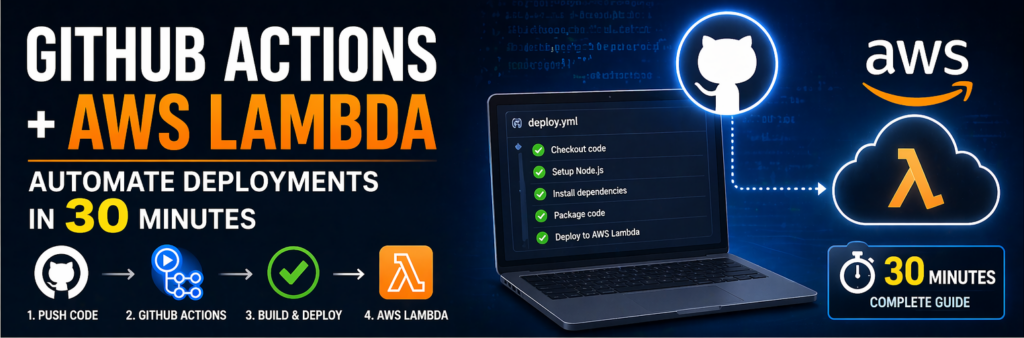
Manual deployments are slow, error-prone, and not scalable. If you’re still uploading code manually to AWS Lambda, you’re wasting time and increasing the risk of mistakes.
Modern development requires automation — and that’s exactly what you get when you combine:
- GitHub Actions
- AWS Lambda
In this guide, you’ll learn how to automate AWS Lambda deployments using GitHub Actions in under 30 minutes.
What You’ll Achieve
By the end of this guide:
- Push code to GitHub
- Automatically deploy to AWS Lambda
- No manual steps required
- Production-ready CI/CD pipeline
What is GitHub Actions?
GitHub Actions is a CI/CD tool built into GitHub that allows you to automate workflows like:
- Build
- Test
- Deploy
What is AWS Lambda?
AWS Lambda is a serverless service that runs your code without managing servers.
You only pay for:
👉 Execution time
Why Use GitHub Actions with AWS Lambda?
1. Automation
No manual deployment.
2. Speed
Deploy in seconds.
3. Reliability
Consistent deployments.
Prerequisites
- AWS account
- GitHub repository
- Lambda function created
- IAM user with permissions
Step 1: Create IAM User for Deployment
Go to AWS IAM:
- Create user
- Add permissions:
AWSLambdaFullAccess
Save:
- Access Key
- Secret Key
Step 2: Add Secrets to GitHub
Go to repo → Settings → Secrets
Add:
- AWS_ACCESS_KEY_ID
- AWS_SECRET_ACCESS_KEY
Step 3: Prepare Your Lambda Code
Example (Node.js):
exports.handler = async () => {
  return {
    statusCode: 200,
    body: "Hello from Lambda!"
  };
};
Step 4: Create GitHub Actions Workflow
Create file:
.github/workflows/deploy.yml
Step 5: Add Workflow Configuration
name: Deploy Lambda

on:
  push:
    branches:
      - main

jobs:
  deploy:
    runs-on: ubuntu-latest

    steps:
      - name: Checkout
        uses: actions/checkout@v3

      - name: Setup Node
        uses: actions/setup-node@v3

      - name: Install dependencies
        run: npm install

      - name: Zip files
        run: zip -r function.zip .

      - name: Deploy to Lambda
        run: |
          aws lambda update-function-code \
          --function-name your-function-name \
          --zip-file fileb://function.zip
Step 6: Push Code
git add .
git commit -m "Deploy Lambda"
git push
Step 7: Verify Deployment
Check:
- GitHub Actions tab
- AWS Lambda console
Advanced Improvements
Use Environment Variables
Store config securely.
Add Testing Step
Run tests before deploy.
Use Branch-Based Deployments
Deploy staging vs production.
Common Errors
Access Denied
Check IAM permissions.
Deployment Fails
Check logs in Actions.
Best Practices
- Use least privilege IAM
- Separate environments
- Monitor deployments
Real-World Insight
Most teams move to CI/CD because:
👉 manual deployments don’t scale
FAQs
Is GitHub Actions free?
Yes (with limits).
Can I deploy multiple Lambdas?
Yes.
Final Thoughts
Automating AWS Lambda deployments using GitHub Actions is one of the easiest ways to improve productivity, reduce errors, and scale your workflows.